.png)


.svg)

.webp?width=2000&height=1333&name=apex-073%20(2).webp "apex-073 (2)")
Your time as a volunteer leader is your most valuable asset, and right now, everyone is telling you that AI is the ultimate time-saver.
But when you're staring at a blank screen trying to draft a sensitive parent letter, a generic robot response doesn't actually help. You need practical shortcuts, not tech industry hype.
In school volunteer circles, AI tools are quickly becoming as common as SignUp Genius. But knowing that they exist isn't the same as knowing how to use them without losing your school's unique voice or accidentally crossing a privacy line.
This guide is a no-nonsense catalog of what works and what doesn’t. We cover the specific tasks leaders are actually handing off to AI, the areas where it completely misses the mark, and a handful of prompts you can copy and paste tonight. Use the parts that fit your workflow, and skip the rest with a clear conscience. You’ve got enough on your plate already.
Quick reference
| Task | Where AI tends to help | Where it tends to break down |
|---|---|---|
| Flyer and poster copy | Fast first drafts, headline options | Look drifts across a school year |
| Recreating a design you liked | Rebuilding a layout from a description | Editing an existing image precisely |
| Parent letters and newsletters | Structure, tone options, shortening | May sound generic on the messages |
| Meeting minutes | Turning a transcript into decisions and action items | Mishears names, acronyms, crosstalk |
| Event checklists and run-of-show | Phased timelines, dependencies | Doesn't know your building or your people |
| Volunteer role descriptions | Clear, consistent postings | Can invent duties you never assigned |
| Event supply quantities | A starting estimate | Commonly guesses high |
| Comparing platforms and tools | Explaining how a category works | Outdated or invented features and pricing |
| Budget and finance questions | Plain-language explanations | Not a substitute for your accountant or state PTA |
| Social captions | Volume, variations | Flattens your school's personality |
| Translation and simplifying | Shortening for family messaging apps | Nuance, idiom, and reading level need a human check |
Communication and Writing
Parent letters, newsletters, and the hard asks
This is the most common use, and it covers everything from a back-to-school welcome to the message nobody wants to write: we're short on volunteers, we're short on funds, we're asking again.
What it does well. Structure and options. Ask for three versions of one message at different levels of directness. You'll get a usable spread, often with the reasoning labeled: a straightforward version, an impact-focused version, a warmer community version. For a volunteer staring at an empty draft at 9 p.m., that's a real unlock.
Where it falls short. The polish becomes the problem on your most important messages. AI writes fluent, well-organized appeals that read like every other fluent, well-organized appeal. The specifics that make families stop scrolling are the ones only you know. The teacher who stayed late. What last year's money bought. The nickname your school uses for the event.
A pattern worth borrowing from leaders who do this well: take the AI structure, then replace every generic noun with something from your own building before you send.
Meeting minutes
 One of the most reliably solved tasks in volunteer work right now. Record the meeting, run the audio through a transcription tool, then ask AI to produce minutes with decisions, action items, owners, and anything tabled.
What it does well. Converting messy discussion into a clean, scannable record. For a board where the secretary role turns over often, it lowers the barrier a lot.
Where it falls short. Transcription stumbles on crosstalk, names, and school acronyms. It can also log something as a decision when the room never landed on one. A quick read before you send it out catches both.
Social posts and captions
What it does well. Volume and variation. Ten caption options for one photo takes seconds, and reworking a single announcement for different platforms is straightforward.
Where it falls short. Personality. AI captions trend toward cheerful sameness, and a school account's charm usually comes from specific, slightly odd local details. Some leaders have leaned into AI-assisted social management as a genuine skill set, and there are now certifications for it, so treat it as a craft with a learning curve.
Translation and plain-language rewriting
What it does well. Shortening. Many schools route family messages through translation apps with tight character limits, and asking AI to cut a message to a set length while keeping the key details is a small, unglamorous time-saver. It's also useful for lowering reading level.
Where it falls short. Nuance. Machine translation handles logistics well and handles warmth, idiom, and cultural context less well. Where a message carries real weight, a bilingual family member or staff member should read it before it goes out.
Thank-you notes, sponsor outreach, and awkward replies
What it does well. Getting past the blank page on anything you're dreading, including polite responses to difficult emails.
Where it falls short. Warmth that names something specific. A thank-you that could apply to any donor reads like a form letter, because it is one.
Design and visuals
Flyer and poster copy
What it does well. Headlines, body copy under a word limit, and clear calls to action. Ask for several options and pick.
Where it falls short. Consistency across a school year. See the next section.
Why AI flyers all start to look the same
This is the complaint that catches leaders off guard, and it has nothing to do with prompting skill.
Any single flyer you generate looks fine. Twelve of them, made one at a time across a school year, drift through four fonts and three color palettes. By spring, families don't recognize what came from the PTA at all. School communication runs on recognition, and a parent skimming a folder at 7 a.m. should know the sender before reading a word.
The cause is simple. Each generation starts fresh, so nothing carries your look forward. More detailed prompts don't fix it, and several rounds of tweaking usually cost more time than they save.
The workaround leaders land on: build one locked template with your fonts and colors. Duplicate the page for each event. Let AI supply only the words, and let the template hold the look.
Recreating a design you saw somewhere
A very common workflow. You see a flyer or graphic you like, you screenshot it, and you ask AI to rebuild something similar for your school.
What it does well. Describing and reconstructing a layout, and generating fresh graphics from a description.
Where it falls short. Editing an image you already have. Leaders hit this wall constantly. Making something new works. Precise edits to an existing graphic mostly don't. Text inside AI-generated images also comes out garbled often, so check every one.
Planning and operations
Event checklists and run-of-show
 What it does well. Sequencing. AI is strong at turning "we're doing a fall festival on October 18" into a phased plan: eight weeks out, six, four, two, week of, day of, day after.
The version that holds up best asks for each task to name a responsible role, the deadline, what has to happen first, what commonly goes wrong at that stage, and what needs to be communicated. Roles survive board turnover. Names don't.
Where it falls short. It doesn't know your building, your principal's preferences, your custodial schedule, or which family always comes through with the pop-up canopy. Treat the output as a scaffold you argue with.
Event binders and handoff documentation
What it does well. Turning your scattered event notes into a how-to for whoever runs it next year. It's one of the least glamorous uses and one of the most valuable. Every board loses knowledge when people move on, and this slows the bleed.
Where it falls short. It can only document what you tell it. The tacit knowledge stays in your head unless you dictate it.
Volunteer role descriptions and sign-up copy
What it does well. Consistent, clear postings that state the time commitment honestly.
Where it falls short. It will happily invent duties and hours you never approved. Read before posting.
Agendas and board onboarding
What it does well. Standard agendas, new-member welcome packets, and plain-language explanations of how a PTA or PTO typically operates.
Where it falls short. Your bylaws are yours. Generic governance advice can conflict with what your unit or your state association actually requires.
Money, data, and compliance
Budget and finance questions
What it does well. Explaining concepts in plain language: what a 501c3 designation means, how a fiscal year works, what a treasurer's report typically includes, how payment processing fees are usually structured.
Where it falls short. Anything with legal or tax consequences. AI sounds confident about nonprofit rules, state requirements, and platform policies. It's sometimes wrong in ways that cost money. One example: volunteer circles widely repeat that the IRS caps how much a PTA can spend on certain categories. Check the actual guidance and that rule isn't there. Take anything touching taxes, bylaws, or association rules to your state PTA, your accountant, or the source itself.
Event supply quantities and estimates
What it does well. Giving you a starting number when you have none.
Where it falls short. Accuracy. Leaders who've checked AI supply estimates against reality (color powder for a color run is the recurring example) report the numbers running high. Over-ordering comes straight out of what your school keeps. Use it to sanity-check an estimate you already made, and cross-check with a school that has run the same event at your size.
Comparing platforms and tools
What it does well. Explaining how a category works and what questions to ask.
Where it falls short. Current facts. Features, fees, and policies change fast, and AI training data lags behind. Payment apps are a live example. Whether your unit can use a given peer-to-peer app depends on association rules and account types that shift, and volunteer forums are full of confident answers that contradict each other. Check the vendor's own site and your association.
The privacy line

This one deserves its own rule, because it's the easiest to cross by accident.
Keep student names, family contact info, donor and pledge lists, financial records, and anything pulled from a school system out of public AI tools. That data isn't yours to share. These tools may also keep what you type. Strip out names and details first, or describe the situation in general terms.
One more thing to check. Many districts now have their own AI policies. Some cover volunteers who handle school data. Asking your principal costs you nothing and can save an awkward conversation later.
The shortcomings, gathered in one place
- Consistency across time. Great at producing a thing, poor at producing the same thing twice. Locked templates solve this, prompting doesn't.
- Confident wrong answers. Especially on rules, fees, features, and anything with a number in it. Verify anything you'd be embarrassed to be wrong about.
- Quantities and estimates. Reported to run high on event supplies.
- Editing existing images. Still unreliable. Rebuilding beats correcting.
- Voice on high-stakes messages. Fluent and forgettable is a bad combination when you need families to act.
- Privacy and data handling. Consumer tools are not a safe place for student or family data.
- Policy compliance. District policies, association rules, and bylaws vary, and AI doesn't know yours.
- Time cost of iteration. Several rounds of prompt tweaking can eat the time the tool was supposed to save. If you're three tries in, writing it yourself is often faster.
- Fake accounts. Volunteer groups have seen AI-made profiles used to collect data and pull members into sketchy spinoff groups. Before you join a new group or share a member list, check who's behind it.
- Accessibility. AI designs skip alt text and often pick low-contrast colors unless you ask.
Ground rules leaders are settling on
No single standard exists yet, and reasonable boards land in different places. These four come up most:
- Draft with it, send from yourself. Nothing goes out without a human read.
- Verify every number. Dates, dollars, quantities, rules.
- Keep people's data out of it. Anonymize before you paste.
- Decide as a board, once. A two-line note in your handbook about what your unit does and doesn't use AI for saves a lot of case-by-case debate.
Whether to tell families that a message was AI-assisted is still unsettled. Some leaders disclose. Most don't. No established norm exists yet. This one belongs in a board conversation at your own school.
Three prompts worth exploring
Event plan:
Create an event planning checklist for [event type] at a [size] elementary school. Details: date [date], expected attendance [number], budget range [range], location [venue]. Organize by phase: 8 weeks out, 6 weeks, 4 weeks, 2 weeks, 1 week, day of, day after. For each task include the responsible role (not a person's name), the deadline, what has to happen first, and one thing that commonly goes wrong. Format as a checklist.
Flyer copy:
Write flyer copy for [event] at [school name] on [date] at [time]. Audience: elementary families who skim. Give me three headline options, one paragraph of body copy under 60 words, and a one-line call to action. Warm and clear, no more than one exclamation point, no corporate language.
Minutes:
Turn this meeting transcript into board minutes. Include attendees, decisions made, action items with owners and due dates, and anything tabled. Keep it under one page. Flag anything that sounded like a decision but was never confirmed.
Questions PTA leaders ask about this
Can a PTA use AI at all? Yes. No national rule stops a volunteer organization from using AI tools for its own communications and planning. Your limits come from three places: your district's policy, your state or national association's guidance, and privacy law around student data. The National PTA and many state branches now publish AI guidance, and California State PTA's toolkit is a useful starting point.
Is it safe to put student data into ChatGPT? Treat the answer as no for public tools. Student names, family contact details, pledge and donor lists, and anything pulled from a school system should stay out. Strip identifying details or describe the situation in general terms. OpenAI's ChatGPT for Teachers offers verified K-12 educators a workspace with different data handling. It's built for school staff, so most volunteer boards fall outside it.
Which AI tool is best for PTA work? Leaders most commonly name ChatGPT, Gemini, and Canva's AI feature, and several report using all three for different jobs. Purpose-built tools aimed at school volunteers are starting to appear, and they're worth watching, though most are very new.
Why do my AI flyers look inconsistent? Because every generation starts from scratch. Build one locked template and let AI write only the words. See the section above.
Should we tell families when a message was AI-assisted? Unsettled. Some boards disclose, most don't, and no norm has formed. Decide it once as a board and write it down.
Does our district's AI policy apply to volunteers? Sometimes. Many districts have adopted AI policies covering staff, and some extend to volunteers handling school data. Ask your principal, and get the answer in writing if you handle rosters or finances.
What still needs people
.webp?width=600&height=400&name=DSC00071%20(1).webp) AI can draft the flyer, format the minutes, and rough out the timeline. That's real help, and if it hands you back your Tuesday nights, you should absolutely use it.
AI can draft the flyer, format the minutes, and rough out the timeline. That's real help, and if it hands you back your Tuesday nights, you should absolutely use it.
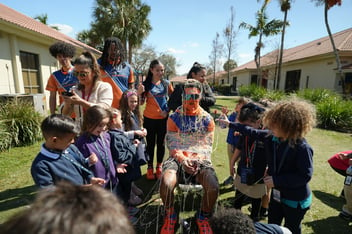
But no app can save you from the sheer physical exhaustion of running a massive school-wide event. When the day of your big fundraiser arrives, AI can't read the room. It can't high-five the kid who needs it most, or hold a hundred kids captivated while teaching them what it means to be resilient. Recruiting the volunteers, bringing the energy, and running the day still falls on you.
Unless you hand it off. That’s the exact burden Apex takes off your shoulders. For schools that want an unforgettable fundraiser without the logistical nightmare, our team runs the leadership lessons and leads the event day on your campus. We handle the tech, the materials, and the logistics to drive up your school's profits, all while ensuring every single student gets to participate regardless of financial contribution.
Whether you’re surviving this year with AI, a worn-out clipboard, or sheer willpower, your school is lucky to have you in their corner.
Curious what event week could look like at your school? Talk with your local Apex team and we'll walk you through it.